 Moat
Moat
✦ Key takeaways
- ✓ A passkey replaces the password; 2FA adds a second proof next to a password.
- ✓ Passkeys are phishing-resistant by construction — their headline advantage.
- ✓ TOTP works everywhere, on everything — passkey support is still uneven.
- ✓ The practical setup in 2026: passkeys where offered, TOTP everywhere else — and as the fallback.
What a passkey actually is
A passkey is a cryptographic key pair created for one specific website or app, standardised as FIDO2/WebAuthn. The private half stays in your device's secure hardware; the public half goes to the service. Signing in means your device answers a one-time cryptographic challenge — approved with Face ID or your device PIN. There's no shared secret on a server to steal, and nothing for you to type.
The killer property is origin binding: the key only answers for the exact domain it was created for. A pixel-perfect fake login page is, cryptographically, a stranger — it gets nothing.
What 2FA is, again, in one line
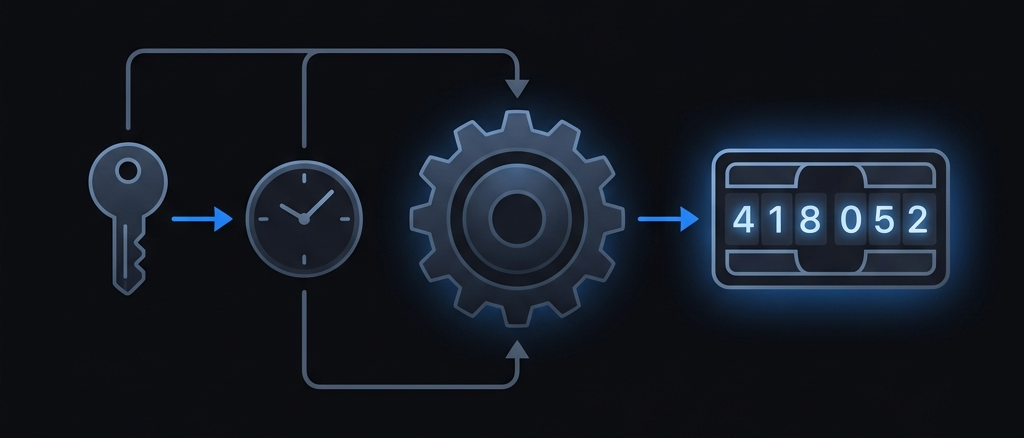
Two-factor authentication keeps the password but demands a second proof alongside it — most commonly a six-digit TOTP code computed offline on your phone.
So which is "better"?
They're answering different questions. Against phishing, passkeys win outright — that's their design goal. Against the everyday disasters of stolen, leaked, and reused passwords, both work; TOTP has been quietly defeating those attacks for a decade. Where TOTP still wins decisively is coverage and portability:
- Coverage: thousands of services support TOTP today; passkey support is growing but uneven, and some services that offer passkeys still require a traditional second factor for recovery or sensitive changes.
- Portability: TOTP is an open standard that works on any device, any platform, any app — and exporting your secrets is straightforward. Passkeys largely sync within a platform's ecosystem, and moving them across ecosystems is still rough at the edges as of June 2026.
- Predictability: a TOTP code works from a borrowed laptop, an old iPad, or a friend's browser when your usual device is dead. That "works anywhere there's a clock" property is hard to beat in an emergency.
Real-time phishing caveat: a TOTP code typed into a convincing fake page can be relayed to the real site within its 30-second window. Passkeys close that door entirely. The habit that protects codes: check the domain before you type.
The practical setup for 2026
- 1. Turn on passkeys for your highest-value accounts that support them well — email above all.
- 2. Keep TOTP active on those same accounts where allowed; it's your cross-platform fallback and often required for recovery flows.
- 3. Use TOTP everywhere else — which is still the majority of services.
- 4. Whatever holds your TOTP secrets, hold it to a high bar: encrypted on-device, end-to-end encrypted in backup, exportable, no ad tracking — the same checklist from our switching guide.
The short version
Passkeys and authenticator codes aren't rivals; they're two generations of the same idea — proving it's really you with something you hold. Adopt passkeys as services roll them out well, and keep your TOTP house in order, because it remains the second factor the whole internet agrees on.